
Top Blueprint Drafting Tools – Expert Comparison 2026
Choosing the right tools can make all the difference when it comes to planning and building in Florida. Maybe you want more confidence in your design drawings or need help with fast approvals for that next construction project. Each product in this comparison brings something special to the table and could help you solve unique challenges around compliance, communication, and efficiency. Whether you care about technical precision, quick project turnaround, or clear collaboration on team projects, finding the best fit might surprise you. Ready to see which solution works for your needs
Table of Contents
Florida Licensed Engineers

At a Glance
Florida Licensed Engineers delivers a comprehensive suite of licensed engineering services tailored to Florida projects, from single-family foundations to high-rise remediation. Their team handles inspections, blueprints, permitting expediter services, and forensic reports with fast turnaround—most clients receive quotes within minutes. If you need reliable, code-aware engineering that integrates structural, architectural, mechanical, electrical, and plumbing plans with civil and flood analyses, this is a top-tier solution.
Core Features
Florida Licensed Engineers provides structural drawings and blueprints, multi-family and single-family home inspections, and commercial project engineering and inspections. Advanced capabilities include Finite Element Analysis (FEA) and structural fatigue analysis, plus forensic structural engineering, corrosion mitigation, and hardening assessments for concrete structures during post-collapse evaluations and high-rise building assessments. Their civil engineering services cover drainage, grading, utility coordination, site plans, and flood mitigation and analysis—including No Rise Certificates and Elevation Certificates. They also offer permitting expediter services and foundation repair design, delivering end-to-end documentation for permits and construction.
Pros
- Licensed and insured engineers ensure professional standards: You get work that meets Florida building codes and industry best practices in every deliverable.
- Broad service scope minimizes vendor churn: From Architectural, Structural, Mechanical, Electrical, and Plumbing Plans to civil and flood mitigation, the team covers nearly every engineering need on a single engagement.
- Fast project turnaround for deadlines: Most clients receive quotes within minutes, helping you move from assessment to permitting faster.
- Proven experience across 6,500+ projects: That portfolio demonstrates repeatable processes and practical knowledge of Florida site conditions and regulatory expectations.
- Comprehensive solutions from inspection to permitting: You can combine forensic investigations, remediation planning, and permitting expediter services in one coordinated workflow.
Who It’s For
Florida Licensed Engineers is ideal for Licensed Architects, general contractors, and property developers in Florida who require precise structural engineering, timely permitting support, and dependable forensic reports. If you manage residential developments, multi-family complexes, or commercial construction—particularly projects with flood-zone considerations—this team gives you the technical depth and local experience you need.
Unique Value Proposition
Florida Licensed Engineers stands out by bundling licensed structural engineering with specialized civil and flood expertise that directly addresses Florida’s unique regulatory and climate challenges. Their combined offering of Architectural, Structural, Mechanical, Electrical, and Plumbing Plans integrated with drainage, grading, utility coordination, site plans, and Flood Mitigation and Analysis—including No Rise Certificates and Elevation Certificates—reduces coordination errors and accelerates approvals. The incorporation of FEA, structural fatigue analysis, and forensic assessments means you get both diagnostic precision and practical remediation plans. In short: you’re not just buying drawings—you’re buying a compliance-first, multidisciplinary engineering partner tuned to Florida permitting realities and resilient design.
Real World Use Case
A Florida homeowner notices foundation cracks after a heavy rainy season. You dispatch Florida Licensed Engineers to perform a foundation inspection, run targeted analyses, produce a detailed report with recommended repairs, and deliver permit-ready blueprints. If the property sits in a flood zone, the team adds Elevation Certificates and Flood Mitigation strategies—streamlining repairs and permitting in one coordinated engagement.
Pricing
Not specified; contact Florida Licensed Engineers for a custom quote based on project scope and regulatory requirements.
Website: https://floridalicensedengineers.com
Autodesk
At a Glance
Autodesk delivers a broad suite of 3D design, engineering, and construction tools that serve architects, engineers, and creators with industry-specific workflows. For licensed architects and contractors in Florida, Autodesk’s depth in building engineering and water infrastructure modeling can support complex project demands. The platform is powerful and well-supported, but it comes with cost and complexity that small shops should plan for.
Core Features
Autodesk bundles comprehensive 3D design and engineering capabilities with support for a wide range of industries, including Architecture, Construction, Building Engineering, and Water Infrastructure. The product line emphasizes industry-specific tools and workflows, enabling modeling, simulation, and coordination across design and construction phases. Autodesk also highlights support for innovation through community resources and professional networks, and it promotes excellence through partnerships such as Team USA.
Pros
- Wide industry coverage: Autodesk supports Architecture, Construction, Manufacturing, and Entertainment, so you can standardize on a single vendor across multiple project types.
- Support for creative and engineering needs: The toolset covers both creative workflows and technical engineering tasks, enabling multidisciplinary teams to collaborate.
- Strong brand reputation in 3D design software: Autodesk’s long-standing presence gives teams confidence in stability, file compatibility, and training resources.
- Supports innovation and professional excellence: Autodesk’s emphasis on pushing boundaries helps firms access advanced methods and community knowledge.
- Community and resources for users: Users can leverage a large ecosystem of tutorials, forums, and professional networks to accelerate adoption.
Cons
- Can be expensive for individual users or small businesses: Subscription licensing and tiered pricing may strain smaller firms’ budgets.
- Complex interface with a learning curve: The depth of functionality means teams need time and training to use tools efficiently.
- Feature-rich but potentially overwhelming for beginners: New users can feel inundated by options and settings before they reach productive workflows.
Who It’s For
Autodesk is best for professional designers, engineers, architects, animators, and creators who need advanced 3D design and engineering tools and who can invest in training and licensing. If your practice manages building engineering, infrastructure, or integrated design-build workflows, Autodesk provides the scale and tools to match your ambitions.
Unique Value Proposition
Autodesk’s strength is its breadth: a single vendor offering industry-specific toolsets from building engineering to visual effects, backed by a large community and professional resources. That combination lets firms coordinate complex, multi-discipline projects without stitching together disparate point solutions.
Real World Use Case
A civil engineering firm uses Autodesk software to design, simulate, and manage water infrastructure projects, ensuring compliance and efficiency throughout the project lifecycle. This use case highlights Autodesk’s capacity for modeling technical systems where regulatory adherence and simulation are critical.
Pricing
Pricing varies by specific software and licensing options; Autodesk typically offers subscription-based plans with multiple tiers and enterprise licensing choices.
Website: https://autodesk.com
Autodesk
At a Glance
Autodesk delivers a comprehensive suite for 3D design, engineering, and construction workflows that can serve as a central backbone for complex residential and commercial projects. For Florida architects and contractors, its industry-specific toolsets support visualization and coordination across disciplines, but expect a learning curve and potential licensing cost that require planning. Bottom line: powerful and broad, yet demands investment in training and procurement.
Core Features
Autodesk combines 3D design software, engineering software, and construction software into a single vendor ecosystem with industry-specific solutions. The platform emphasizes design visualization, coordination across architecture and infrastructure workflows, and integration with engineering and construction tasks. Resources and support material span many industries, and Autodesk’s profile includes outreach and sponsorships that underline its position in professional markets.
Pros
- Wide range of industry-specific tools: Autodesk offers toolsets tailored to Architecture, Engineering, and Construction, which helps you match software modules to the needs of residential and commercial plans.
- Strong reputation in design and engineering software: The product line is broadly adopted in professional practice, making it easier to find trained staff and industry-standard workflows.
- Supports innovation and boundary-pushing initiatives: Autodesk invests in advanced capabilities and cross-industry solutions that let you tackle complex modeling and coordination tasks.
- Comprehensive resources across many industries: Training materials, documentation, and industry examples help accelerate adoption for project teams.
Cons
- Potential high cost of licensing: Licensing can be expensive for full-featured suites, and total cost of ownership may rise when you factor in multiple modules for architecture, structure, and construction.
- Complexity for new users: The breadth of features means new users face a steep onboarding period before they can contribute efficiently.
- Steep learning curve for advanced features: Advanced modeling, parametric workflows, and multi-discipline coordination require focused training and practice to use effectively.
Who It’s For
Autodesk is best suited for licensed architects, structural engineers, and general contractors who manage medium to large residential and commercial builds and need integrated design-to-construction workflows. If you run repeated permitting cycles, coordinate multiple disciplines, or produce detailed construction documentation in Florida’s regulatory environment, Autodesk provides the depth required—provided you budget for training and licensing.
Unique Value Proposition
Autodesk’s primary value is its breadth: a single vendor that spans 3D design, engineering, and construction tools with industry-specific adaptations. That breadth reduces friction when transferring models between disciplines and supports firms that want an enterprise-level, consistent toolchain for concept-to-construction delivery.
Real World Use Case
An engineering firm uses Autodesk to model structural systems, export coordinated drawings for permitting, and hand off construction sequences to contractors—enabling clearer communication across teams and fewer RFIs during buildout. In Florida, that helps when reconciling architectural plans with drainage or flood-mitigation requirements handled by specialists.
Pricing
Pricing is not specified in the provided content, so plan for variable licensing costs depending on modules and user counts and request quotes from Autodesk for precise budgeting.
Website: https://autodesk.com
Chief Architect
At a Glance
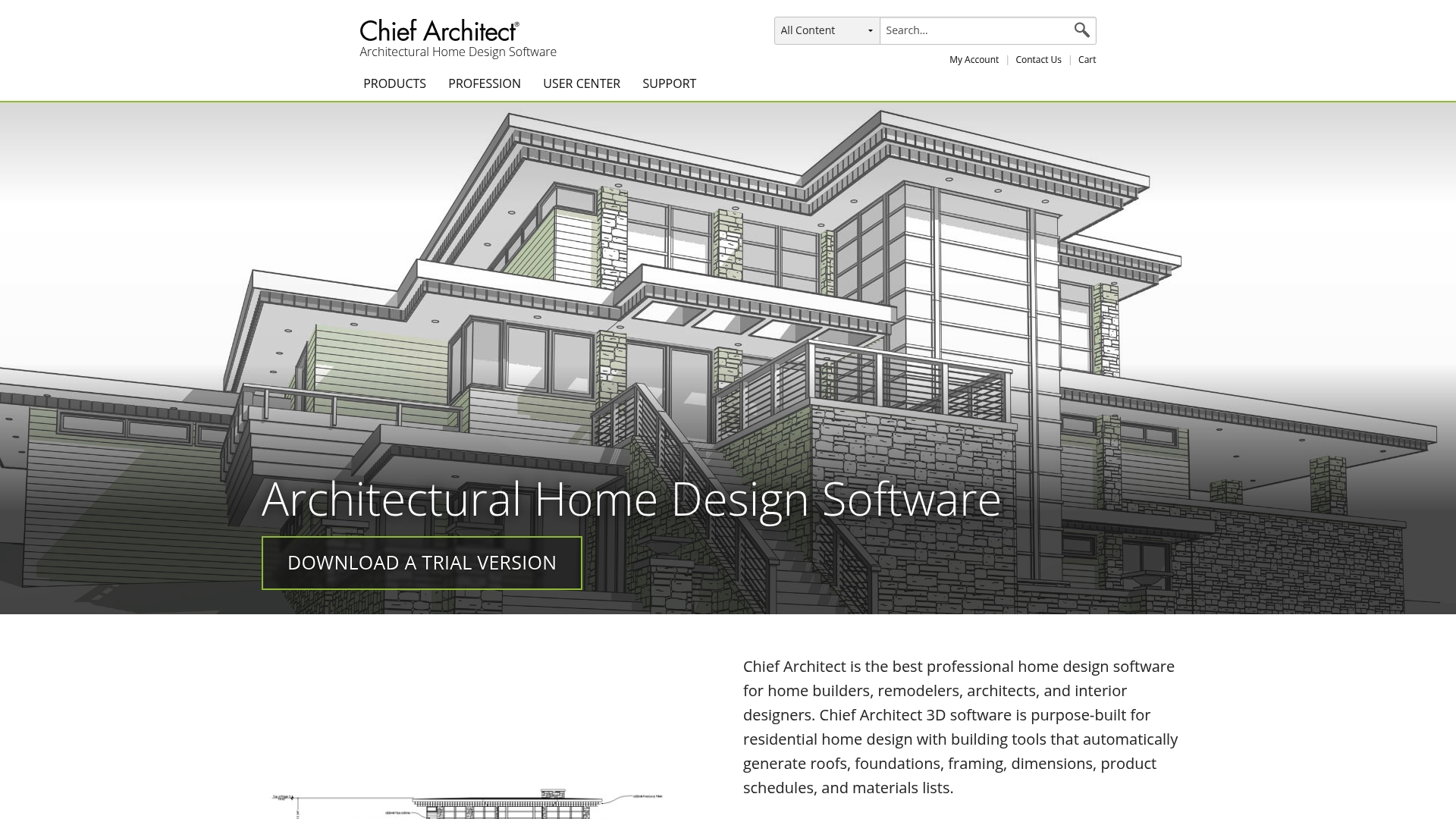
Chief Architect is a purpose-built home design application that puts automation and realistic 3D visualization front and center for residential professionals. It automates roofs, foundations, framing, and materials lists while offering real-time rendering and extensive training resources. For licensed architects and contractors in Florida, Chief Architect speeds up client presentations and construction coordination, though its price and learning curve are considerations.
Core Features
Chief Architect automatically generates roofs, foundations, framing, and materials lists as you design, and it inserts windows and doors complete with framing details. The program includes robust 3D modeling and visualization tools, automatic materials and product schedules that update when designs change, and a Style Palette tool to swap colors, materials, and architectural elements quickly. The responsive design choice program even builds a 3D model as you draw walls, forming ceilings and floors automatically to aid rapid iteration and client review.
Pros
- Residential-focused automation: The software automates roofing, foundation, framing, and material takeoffs, which reduces repetitive drafting and speeds delivery of construction documents.
- Powerful 2D and 3D capabilities: You get detailed elevations, cross sections, and photorealistic real-time rendering to communicate design intent clearly to clients and permitting authorities.
- Live-updating schedules: Materials and product schedules update automatically when you edit the model, cutting manual reconciliation and minimizing costly mistakes in procurement.
- Extensive customization and catalogs: Custom catalogs and a wide selection of materials and colors let you match regional materials and finishes common in Florida residential work.
- Training and priority support: Included training, webinars, and priority support shorten onboarding time and help teams adopt advanced features more effectively.
Cons
- High cost for some practices: The pricing may be steep at $1,995 per year or $229 per month for smaller contractors or solo designers.
- Residential and light commercial focus: The tool is primarily suited to residential and light commercial projects, which can limit firms that need heavy commercial or infrastructure workflows.
- Advanced features require time to master: Some of the more powerful automation and rendering features have a learning curve that demands dedicated training and practice.
Who It’s For
Chief Architect is ideal for professional home builders, remodelers, architects, and interior designers who produce residential and light commercial work and need integrated design, documentation, and visualization. If you’re a licensed architect or contractor in Florida juggling permitting, client presentations, and coordination with builders, this tool aligns well with those workflows.
Unique Value Proposition
Chief Architect’s unique strength is its automation-first approach tied to a live 3D model: as you draw, the software creates construction-ready elements and materials lists, enabling faster, more accurate transitions from concept to buildable plans. That combination of speed and realism is particularly valuable when presenting flood elevation options, material choices, or phased remodels to Florida clients.
Real World Use Case
An architect designing a new Florida residence uses Chief Architect to generate detailed plans, automatic framing and material lists, and high-quality 3D renderings. The result is a single source of truth for client presentations, permitting submissions, and builder coordination—reducing change orders during construction.
Pricing
Billed annually at $1,995/year ($166.25/month) or billed monthly at $229/month. Includes free introductory training.
Website: https://chiefarchitect.com
Bluebeam Revu
At a Glance
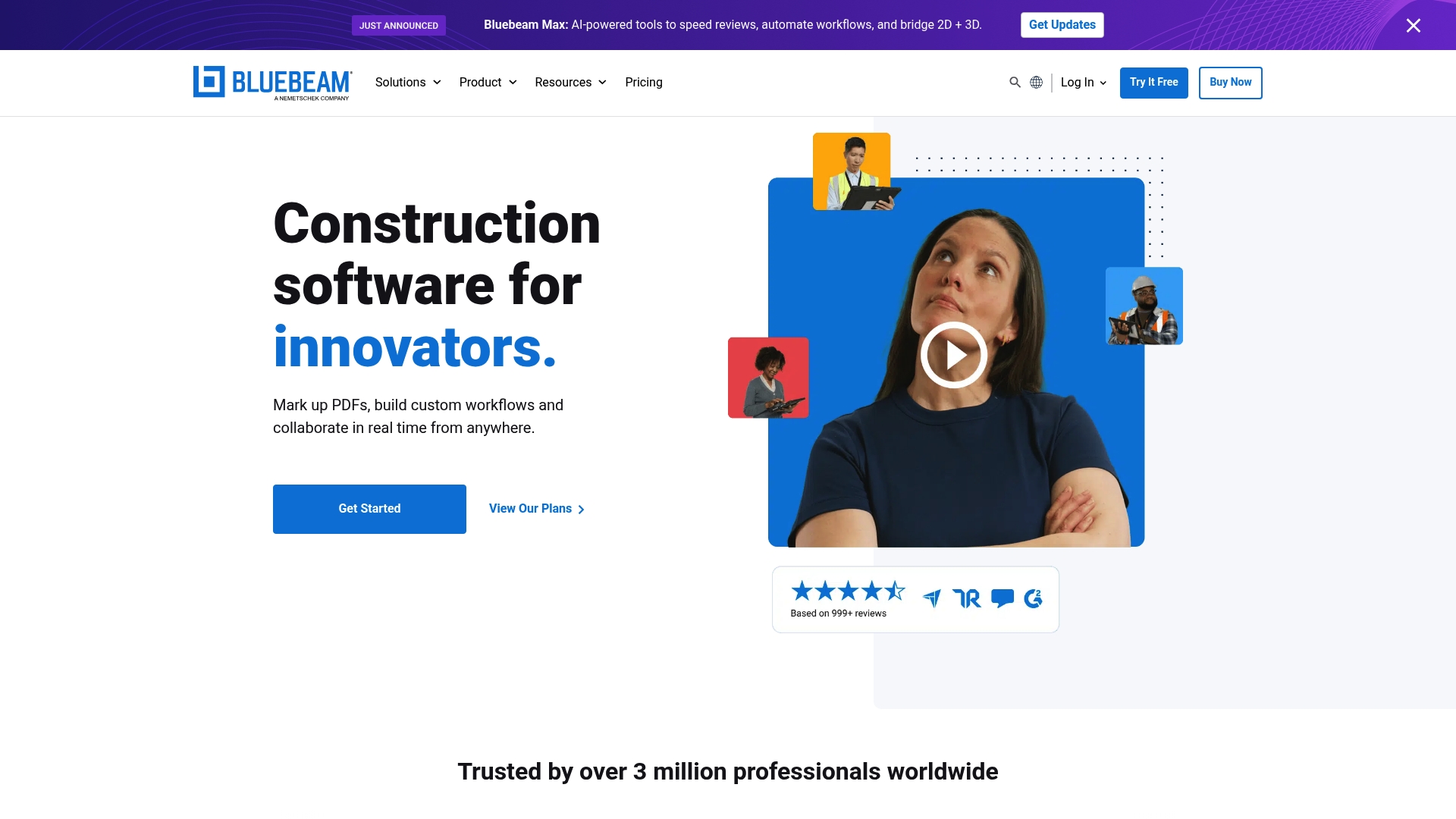
Bluebeam Revu is a desktop-focused PDF collaboration and markup platform built for architecture, engineering, and construction teams that need precise control over drawings and document workflows. For Florida licensed architects and contractors managing residential and commercial projects, it delivers robust markup, measurement, and real-time collaboration tools that speed design review and reduce field rework. The bottom line: powerful PDF control with a desktop-first workflow that extends to web and mobile for team access on site.
Core Features
Bluebeam Revu centers on advanced markup and measurement tools for PDFs, combined with Bluebeam Studio for real-time collaboration across project teams. It provides cloud project storage and management, customizable workflows and integrations to fit office processes, and the ability to assemble digital handover packages for project delivery. Those capabilities support design review, QA/QC, estimating and field markups without leaving the PDF, keeping your document control centralized and auditable.
Stop. Think. Save time.
Pros
- Versatile and powerful PDF editing and markup tools: The markup and measurement toolset is comprehensive, which lets you annotate plans, punch lists, and details with precision directly on construction documents.
- Supports real-time collaboration with team members: Bluebeam Studio enables multiple stakeholders to edit and review the same documents simultaneously, reducing email chains and version confusion on fast-paced projects.
- Extensive training and support resources: The platform includes structured training and support that helps teams climb the learning curve faster and apply Revu to standard office and field procedures.
- Flexible plans for different team sizes and needs: Tiered licensing and options let small firms and larger contractors choose the right feature set and scale as project demands grow.
- Cross-platform availability (Windows, Web, Mobile): While optimized for desktop, Revu’s web and mobile access keeps field teams synchronized when they need to reference or markup drawings on site.
Cons
- Requires Windows OS for desktop version: The full desktop experience is Windows-only, which can be limiting for firms that standardize on Mac workstations and expect identical functionality.
- Additional costs for higher-tier plans and add-ons: Advanced features and automation often reside behind higher-tier licenses or paid add-ons, increasing total cost for firms that need enterprise capabilities.
- Learning curve for new users: New users must invest time in training to master advanced markup, measurement, and workflow customization, which can delay immediate productivity gains.
Who It’s For
Bluebeam Revu is ideal for construction, engineering, and architectural teams that require tight document control and collaborative PDF workflows—particularly offices managing multiple residential and commercial permits, inspections, and handovers in Florida. If your projects depend on accurate takeoffs, disciplined QA/QC, and coordinated field markups, Revu is designed for you.
Unique Value Proposition
Revu’s unique value lies in combining precision PDF editing with live collaboration and document management tuned to AEC workflows, enabling teams to keep a single source of truth for drawings and deliverables from design through handover.
Real World Use Case
Cargill used Bluebeam to digitize and manage a $30.9 million tank expansion project, streamlining communication and document management across stakeholders and reducing delays tied to paper-based workflows.
Pricing
Plans start at $260 per user, billed annually, with different tiers offering additional features such as advanced markup and automation.
Website: https://bluebeam.com
Engineering and Design Tools Comparison
Below is a detailed comparison of tools specialized for engineering and architectural work, focusing on features, usability, and pricing.
| Product | Core Features | Pros | Cons | Pricing |
|---|---|---|---|---|
| Florida Licensed Engineers | Structural, architectural, mechanical, and civil plans; permitting expediter services; forensic engineering; flood mitigation. | Licensed engineers; comprehensive service scope; experience with 6,500+ projects; fast turnaround times. | Pricing not explicitly stated, requiring contact for quotes. | Not specified; custom quotes available. |
| Autodesk | 3D design and engineering tools; construction and infrastructure modeling; broad industry application. | Wide coverage of industries; supports creative and technical workflows; strong reputation for software reliability. | Expensive licensing tiers; complexity and steep learning curve for new users. | Subscription-based plans with varying tiers and licensing options. |
| Chief Architect | Automated residential-focused software; real-time rendering; construction documentation; material schedules. | Automation for residential design; live-view visuals; extensive customization options. | Higher pricing tier; limited to residential and light commercial focus. | $1,995 annually or $229 monthly. |
| Bluebeam Revu | PDF collaboration and markup for document management; real-time project coordination; reliable inspection and takeoff tools. | Precision editing; collaborative workflows; accessible across devices; cloud integration. | Windows OS dependency; additional cost for advanced functionalities. | Starting at $260 per user annually. |
Master Blueprint Drafting with Expert Engineering Support
Choosing the right blueprint drafting tool is critical when accuracy and compliance matter most in Florida projects. The article highlights challenges like integrating comprehensive Architectural, Structural, Mechanical, Electrical, and Plumbing Plans while meeting strict permitting requirements and flood-zone considerations. If you value quick turnaround, precision inspections, and clear documentation that seamlessly supports permitting expediter services, you understand the need for a trusted engineering partner who truly knows Florida’s unique codes and climate challenges.
At Florida Licensed Engineers, we complement your blueprint drafting efforts by offering licensed expertise in residential and commercial engineering. From detailed inspections and forensic reports to comprehensive civil engineering including drainage, grading, and flood mitigation with No Rise and Elevation Certificates, our services reduce risk and speed approval. When you need more than software tools, rely on our multidisciplinary team to turn your blueprints into build-ready, code-compliant documents.
Unlock smooth permitting and build confidence on every project. Explore our blueprint and engineering services today and elevate your workflow with expert support.
Discover how we integrate permitting expediter services with your drafting needs and make your next project a success.
Frequently Asked Questions
What features should I look for in blueprint drafting tools?
To ensure efficiency and functionality, look for tools that offer robust design capabilities, collaboration features, and support for various file formats. Evaluate tools based on ease of use, automated features, and the ability to generate accurate measurements and annotations.
How do I choose the right blueprint drafting tool for my project?
Assess your specific project requirements, including complexity and team collaboration needs. Start by listing essential features, then compare options based on user feedback, pricing structures, and compatibility with existing workflows.
Can blueprint drafting tools integrate with project management software?
Yes, many blueprint drafting tools provide integration with popular project management software to streamline workflows. Look for features that allow you to share designs directly, track progress, and maintain communication across teams, thereby reducing project delays by up to 30%.
How can I improve collaboration using blueprint drafting tools?
Enhance collaboration by selecting tools that include real-time editing, commenting, and version control features. Encourage team members to actively engage with the tool, providing feedback on drafts within 24 hours to ensure timely revisions and decision-making.
What is the typical learning curve for using blueprint drafting tools?
The learning curve varies, but most users can expect to become proficient within a few days to weeks, depending on the tool’s complexity. Utilize available training resources, such as tutorials and user forums, to accelerate the learning process and enhance your skills efficiently.
Are cloud-based blueprint drafting tools better than desktop solutions?
Cloud-based tools often offer enhanced collaboration and access from any device, making them ideal for teams. Consider your priorities, such as budget and internet reliability, before deciding, as transitioning to cloud solutions can improve accessibility by 40%.
Recommended
- Complete Guide to the Role of Blueprints – FloridaLicensedEngineers.com
- Complete Guide to Blueprints for Residential Projects – FloridaLicensedEngineers.com
- How to Read Blueprints for Your Project Success – FloridaLicensedEngineers.com
- 7 Essential Types of Architectural Blueprints Explained – FloridaLicensedEngineers.com
