
Top 4 Inspection Software for Home Builders 2026
Construction sites are busy places, with inspections playing a huge role in keeping projects safe and on schedule. Today, technology makes this process easier and more accurate than ever before. Some tools help catch even the tiniest errors, while others save time with instant reports and updates. Choosing the right inspection software can make a world of difference for any home builder. Discover what sets the leading options apart and see which features might completely change the way inspections are handled.
Table of Contents
Florida Licensed Engineers

At a Glance
Florida Licensed Engineers is the leading full service engineering partner for builders and homeowners across Florida. This is our top pick because it combines local licensing, permit ready documentation, and broad technical expertise in one dependable team.
Core Features
The firm provides inspections, reports, and signed and sealed permit plan sets for homes and businesses statewide. Services cover residential and commercial structural inspections, engineering reports, and permit plans for remodels, additions, and new construction.
The company also performs forensic investigation and insurance inspections, site and field inspections, and delivers plans signed by licensed Professional Engineers. Civil engineering services include drainage, grading, utility and site plans plus flood mitigation and analysis including no rise certificates and elevation certificates.
Pros
- Comprehensive engineering services across Florida provide a single source for inspections, plans, and permitting support which reduces coordination overhead.
- Licensed and locally supported team offers consistent project reliability and on the ground knowledge of Florida codes and permitting practices.
- Clear scope and deliverables come with permit ready documentation so permit submittals move faster and with fewer revisions.
- Services covering inspections, planning, design, and permitting support let builders and homeowners manage projects without juggling multiple vendors.
- Experience with both simple homes and complex commercial buildings gives confidence on projects with unusual loads or site constraints.
Who It’s For
Florida Licensed Engineers fits homeowners, builders, property managers, architects, and commercial developers working in Florida who need licensed engineering support for inspections, permit plan sets, and regulatory reports. Local builders who want consistent permit documentation will find this especially useful.
Unique Value Proposition
This firm stands apart because all deliverables are produced and signed by licensed Professional Engineers holding Florida License Number 37180. That single fact removes ambiguity during permitting and enforces technical accountability on every drawing and report. The combination of structural engineering, forensic reporting, and civil services provides a complete compliance package that most competitors cannot match.
Sophisticated buyers choose this option when they need predictable permit outcomes, legally defensible inspection reports, and engineering drawings prepared to the standards used by Florida jurisdictions. The team offers depth in structural analysis and flood mitigation so you get both design and regulatory assurance in one engagement.
Real World Use Case
A Florida homeowner planning a kitchen addition orders a structural inspection and a signed permit plan set. The engineer documents existing conditions, designs framing modifications, prepares sealed plans, and supplies the inspection report required by the county for permit approval.
A builder working on a small commercial project uses the same service for site civil plans, drainage analysis, and elevation certificates to meet lender and permitting requirements.
Pricing
Pricing is not specified on the website. Contact the firm directly for a project quote and scope based estimate.
Website: https://floridalicensedengineers.com
Spectora

At a Glance
Spectora is a purpose built home inspection software platform that combines report writing, scheduling, payments, and client communication in one place. It targets inspectors who need faster report production, more professional layouts, and basic business growth tools.
Core Features
Spectora provides mobile and web report writing and delivery with unlimited reports and the ability to attach high quality photos and videos. The platform also offers customizable templates and forms, automated client and agent communication, and integrated scheduling, payments, and a client portal.
Pros
-
All in one platform: Spectora centralizes reporting, scheduling, payments, and client communication so you spend less time switching tools.
-
Speed and automation: Features like AI Comment Assist and automation for messages reduce time spent on repetitive writing and follow up.
-
Professional report layouts: Reports include photo and video support and layouts that agents and buyers recognize as polished and consistent.
-
Strong customer support: The product lists high satisfaction ratings for support, which helps when you are onboarding staff or troubleshooting.
-
Flexible pricing options: Plans include a free trial and transparent pricing tiers, which helps you test before committing long term.
Cons
-
Pricing can be a factor for very small or new inspectors who need to tightly control monthly costs.
-
Some capabilities require paid upgrades or add ons, such as advanced features or website packages, which increases total cost as you scale.
-
Advanced features have a learning curve for new users, which may require time or training before your whole team adopts them.
Who It’s For
Spectora fits home inspectors and small inspection companies that want an integrated toolset for operations and reporting. It works well for inspectors who deliver branded reports with photos and videos and who want automated client communication built into the workflow.
Unique Value Proposition
Spectora combines practical business tools with inspection specific features so inspectors can write and deliver professional reports quickly while managing scheduling and payments in the same account. The inclusion of a client portal and website add ons supports modest business growth without separate vendors.
Real World Use Case
A single inspector or small firm uses Spectora to run daily operations: schedule inspections, collect payment at booking, complete reports on site with photos and video, and send branded reports automatically to agents and clients. The result is less admin and a consistent client experience.
Pricing
Starting at $109 per month or $1,090 per year for solo inspectors, with additional inspectors priced at $99 per month or $999 per year. The free trial includes two free inspections and paid add ons are available for advanced features or website services.
Website: https://spectora.com
Home Inspector Pro
At a Glance
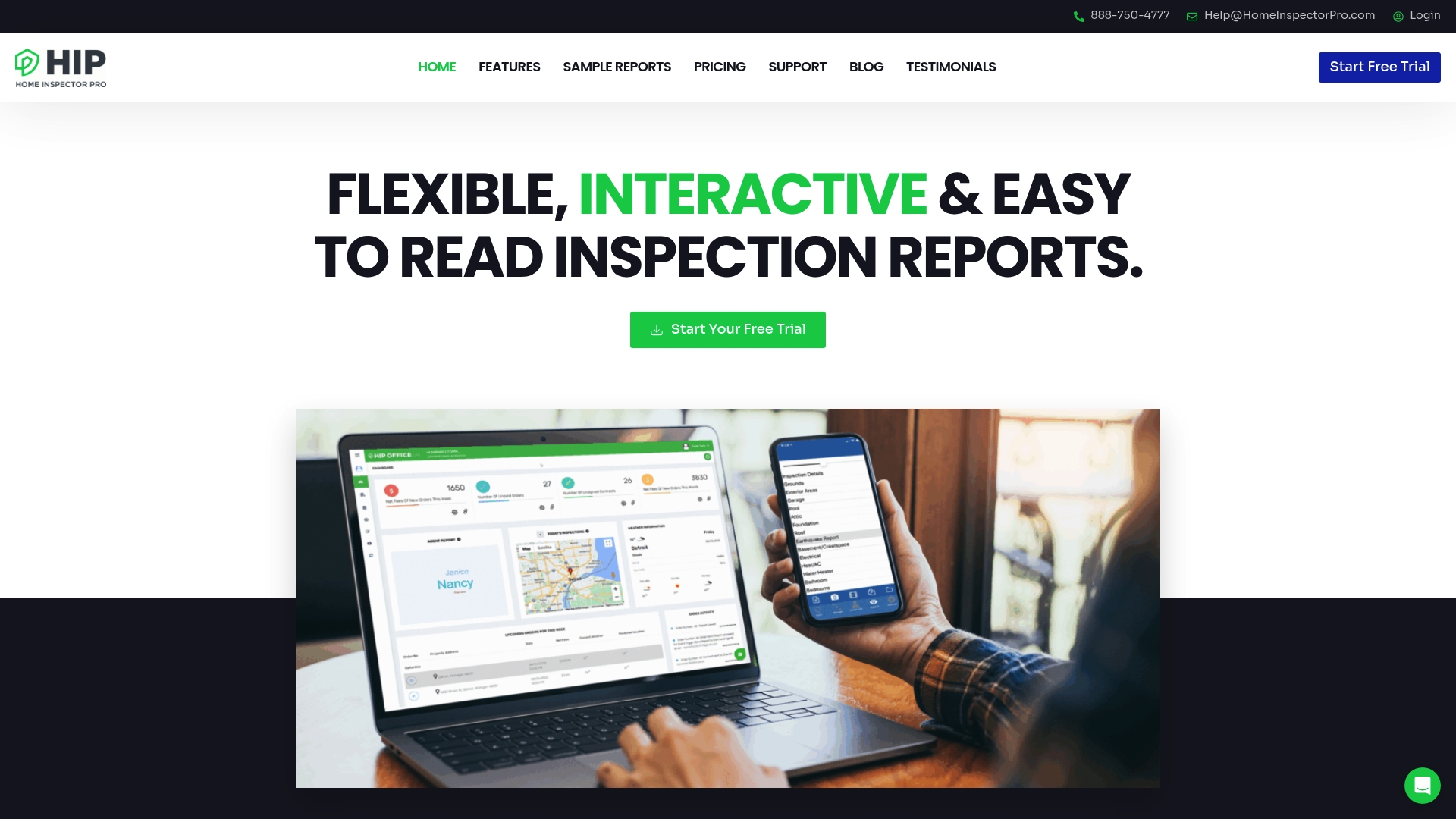
Home Inspector Pro is a mature inspection platform used by more than 10,000 inspectors that focuses on fast, multimedia rich reporting across Windows, Mac, iPhone, iPad, and Android devices. The bottom line is this platform delivers powerful reporting and team collaboration but requires a short learning curve for complex workflows.
Core Features
Home Inspector Pro centers on customizable reports with branded templates and supports video and 360° images for clearer client communication. The platform includes the HIP Camera for rapid photo annotation, team inspections with live collaboration, automatic report translation in six languages, and on site review slideshows for clients.
Pros
-
Highly customizable reports make it possible to match branding and create multiple summaries that clarify findings for clients and agents.
-
Multi device support allows inspectors to work from Windows, Mac, iPhone, iPad, and Android devices so field teams and office staff stay aligned.
-
Fast on site report generation lets inspectors capture photos and video, annotate them, and deliver a professional report before leaving the property.
-
Strong customer support with presence on both coasts provides reliable help for setup and troubleshooting.
-
Wide inspection scope and languages supports residential and commercial templates and automatic translation to reach diverse clients.
Cons
-
Pricing details are not listed on the website which requires contacting sales or requesting a trial to get exact plan costs.
-
Feature set has complexity which means new users will likely need training to use advanced templates and collaboration features effectively.
-
Public pricing requires a request which slows procurement decisions for builders who must compare costs across multiple projects quickly.
Who It’s For
Home Inspector Pro fits home inspectors handling residential and commercial work who need multimedia reports and multi language delivery. Builders and contractors in Florida who coordinate teams and require on site client review will find the platform practical for client and agent collaboration.
Unique Value Proposition
Home Inspector Pro stands out for combining rich multimedia support with branded, configurable templates and live team inspections. That mix helps inspection firms present clearer findings to clients while keeping reports consistent across inspectors and projects.
Real World Use Case
An inspector uses a tablet to capture photos and short video, annotates issues with the HIP Camera, and generates a branded multimedia report on site. The client reviews the slideshow immediately which reduces follow up questions and accelerates decision making.
Pricing
Pricing is available on request or through a free trial request and exact rates are not published on the website. Contacting sales is required to obtain plan and feature pricing for team sizes and add ons.
Website: https://homeinspectorpro.com
Inspection Support Network (ISN)
At a Glance
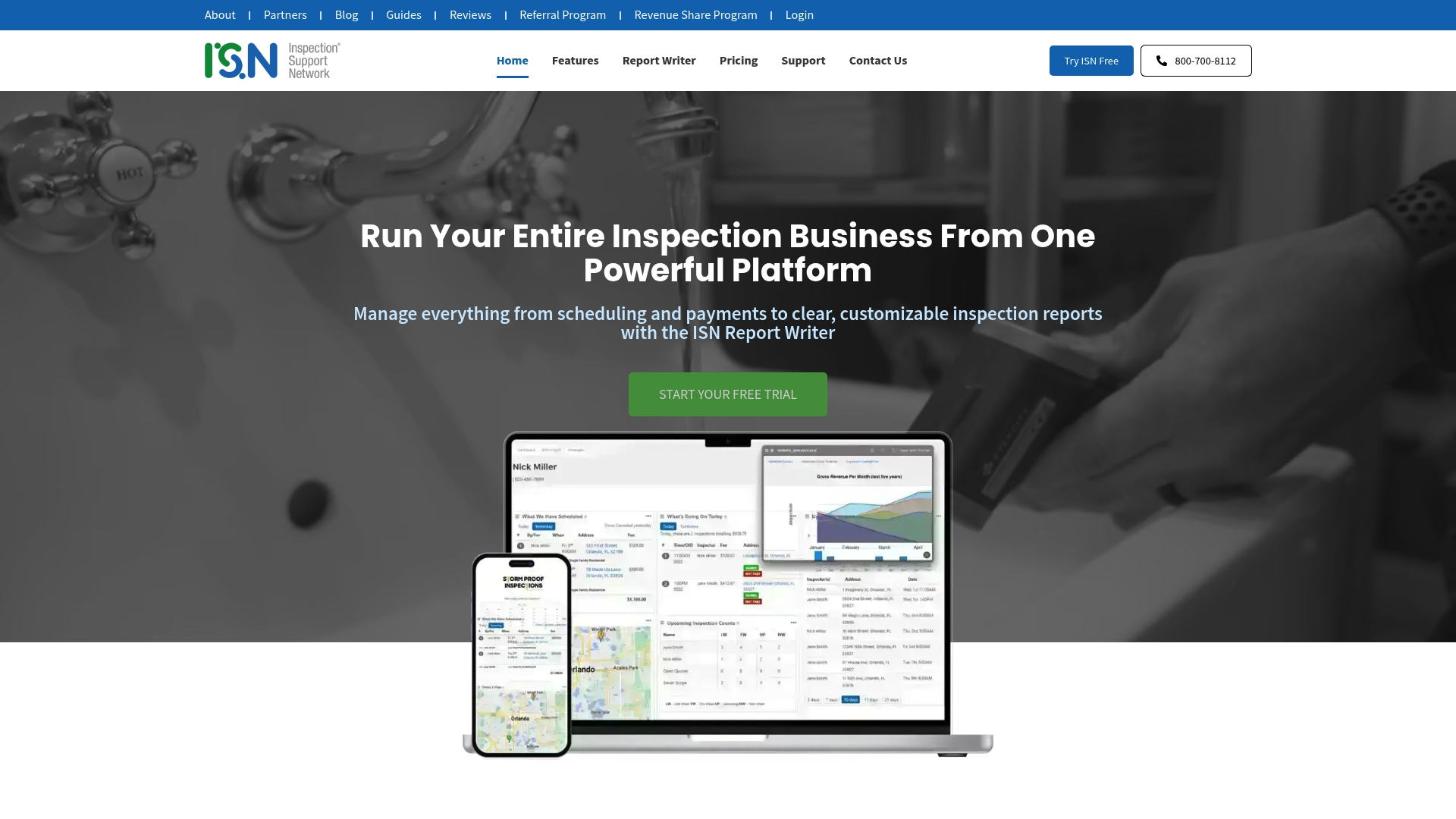
ISN is an all-in-one home inspection platform that combines scheduling, payments, report writing, and client communication in one mobile friendly suite. It is robust enough for established firms while still offering tools to help growing businesses scale.
Core Features
ISN centralizes business management from online scheduling to payments and branded reporting, all accessible on desktop, tablet, and smartphone. The platform includes a customizable report writer with AI powered comment suggestions, automated text and email reminders, and analytics that surface business insights.
Pros
- Integrated platform: ISN replaces multiple tools by handling scheduling, payments, reporting, and communication in one place which reduces admin overhead.
- Proven track record: The platform is trusted by top inspection businesses for over 25 years which indicates maturity and ongoing product refinement.
- Customizable reporting: The report writer supports branded reports with multimedia and AI suggested comments which speeds report delivery.
- Automated communication: ISN sends text and email reminders automatically which improves appointment attendance and client follow up.
- Business analytics: Built in analytics and reporting features help you track performance and identify growth opportunities with clear data.
Cons
- Tiered pricing structure: Pricing is usage based with rates that drop as volume increases which could be costly for smaller operations that do not reach higher tiers.
- Feature complexity: The breadth of features can feel complex for new users who do not complete onboarding or training which may slow initial adoption.
- Internet dependence: The system relies on an internet connection for cloud based operations which can limit use in areas with unreliable service.
Who It’s For
ISN fits home inspection professionals and businesses that want a single solution to manage inspections, payments, reports, and client outreach. It suits firms that process regular inspection volume and value built in analytics and customer support.
Unique Value Proposition
ISN combines a mature, mobile friendly inspection workflow with AI assisted report writing and strong onboarding support to reduce back office work. Its longevity and feature set make it attractive for businesses seeking a single vendor for operations and growth insights.
Real World Use Case
A home inspection company uses ISN to schedule appointments, process payments, generate branded reports with embedded photos and video, and analyze business performance to identify where to add staff or marketing efforts. Everything runs from a smartphone in the field.
Pricing
ISN uses flexible usage based pricing with per inspection rates that decrease as volume increases. Pricing starts at $725 for the first 50 inspections each month, then $550 for the next 51, and $375 thereafter with potential minimum fees after a free trial.
Website: https://inspectionsupport.com
Engineering and Home Inspection Solutions Comparison Table
This table provides a comprehensive comparison of four leading engineering and home inspection tools based on their key features, advantages, primary user base, and pricing.
| Product | Features | Pros | User Base | Pricing |
|---|---|---|---|---|
| Florida Licensed Engineers | Inspections, reports, signed and sealed permit plans, forensic investigations, flood analysis, civil engineering services | Comprehensive service suite; local licensing expertise; reliable documentation | Homeowners, builders, developers in Florida | Contact vendor for project-specific quotes |
| Spectora | Report writing with photos/videos, scheduling, automated client communications, customizable templates, mobile-friendly platform | Integrated operations; polished reports; competitive pricing options | Independent home inspectors and small inspection firms | Starting at $109 per month; free trial includes two inspections |
| Home Inspector Pro | Multimedia custom reports, team collaboration, automatic translations, multi-device support, on-site slideshow presentation | Highly customizable reports; strong multi-device compatibility; suitable for diverse inspector needs | Residential and commercial inspectors requiring multimedia functionalities and client collaboration | Pricing available upon request; free trial offered |
| Inspection Support Network (ISN) | Scheduling, payments, reporting with multimedia, AI-powered comments, automated communications, business insights analytics | Feature-rich platform; trusted by established firms; mobile-compatible | Established inspection firms and professionals valuing growth insights | Starts at $725 for 50 monthly inspections; usage-tiered pricing thereafter |
Streamline Your Project Inspections with Expert Engineering Support
Choosing the right inspection software can transform how home builders manage reports and schedules but pairing technology with dependable engineering expertise is key to success. The article highlights the challenge of juggling detailed inspections, accurate reporting, and seamless client communication. That’s where our full-service engineering team steps in to provide precise inspections, signed and sealed permit plans, and forensic reports tailored to your project needs. We understand the importance of permit-ready documentation that speeds approval and ensures compliance with Florida codes.

Explore how our licensed engineers elevate your project quality by offering structural, civil, and multidisciplinary plans to complement your inspection workflows. Visit our Engineering and Inspection Archives for valuable insights and reach out today at Florida Licensed Engineers to get started on professional documentation that reduces delays and risk. Don’t wait to turn inspections into reliable, actionable results with expert backing.
Frequently Asked Questions
What features should I look for in inspection software for home builders?
You should prioritize features like customizable reporting, scheduling tools, and client communication capabilities. Consider platforms that integrate these features to streamline your workflow and reduce administrative tasks.
How can inspection software improve my home building projects?
Inspection software improves projects by centralizing various tasks like documentation, reporting, and communication in one place. This can lead to faster project completion and fewer errors, potentially saving you time and reducing rework by about 20%.
What is the typical pricing structure for home building inspection software?
Most inspection software platforms offer tiered pricing based on usage, with costs often adjusting based on the number of inspections completed monthly. Evaluate your inspection volume to choose a plan that best fits your budget and operational needs.
How do I ensure my team can effectively use new inspection software?
Provide training sessions and create a comprehensive onboarding plan for your team to familiarize them with the new software. This proactive approach can help increase confidence and efficiency when using the software, ideally achieving proficiency within a few weeks.
Can inspection software help with compliance and regulatory reporting?
Yes, many inspection software platforms include features that assist with compliance and regulatory reporting specifics to the construction industry. Utilizing these tools simplifies the process, ensuring you meet all necessary standards and deadlines more easily.
Recommended
- Top 6 Construction Inspection Tools 2025 for Professionals – Florida Licensed Engineers
- Top 5 Blueprint Drafting Tools 2025 – Florida Licensed Engineers
- Step-by-Step Guide to Building Inspections Success – Florida Licensed Engineers
- Role of Locksmiths in Construction: Complete Guide – A To Z Locksmith Inc

